The best SVG files for Cricut vinyl cutting have clean, closed paths, details large enough for your material, sensible layers, the file formats your software needs, and a clear license. A good preview and an honest product description let you check all of this before you buy. Use the checklist below to judge any SVG file in a minute and avoid designs that will frustrate you at the weeding stage.
Key takeaways
- Clean, closed vector paths cut smoothly; traced or messy files cut slowly and leave jagged edges.
- Detail size matters more than design style: thin lines and tiny letters that look fine on screen may not weed at your final size.
- Single-color designs suit beginners and iron-on; layered designs need more vinyl, more weeding and careful alignment.
- Check that the download includes the format your software opens (SVG for Cricut, DXF for Silhouette Studio Basic Edition).
- Read the license before you sell anything made with the file.
The Buying Checklist for the Best SVG Files for Cricut
| Check | What good looks like | Why it matters |
|---|---|---|
| Paths | Smooth, closed shapes with few unnecessary points | Faster cuts, clean edges, no blade drag |
| Detail size | Lines and gaps wide enough for your material at the size you will use | Easier weeding, less lifting in the wash |
| Layers | One layer per color, grouped logically | Simple color changes and alignment |
| Formats | SVG plus PNG, DXF and EPS | Works across Cricut, Silhouette and printing |
| License | Clearly states personal and commercial use terms | You know whether you can sell what you make |
| Preview | Clear mockup and a flat view of the design | Shows what you will actually cut |
Clean Paths and a True Vector File
A real SVG cut file is built from vector paths, not a photo saved with an .svg extension. After upload, Cricut Design Space should show crisp shapes that you can ungroup into separate layers. Warning signs include a single solid rectangle (the background was never removed), edges that look wobbly when you zoom in, or hundreds of tiny specks around the design. Those are usually auto-traced images, and they produce rough cuts.
If you want to understand the difference between vector and pixel images, read what an SVG file is and why it is perfect for Cricut.
Detail Size for Your Material
The same design can be perfect on a large sign and impossible on a toddler shirt. Before buying, think about the final size and material:
- Heat transfer vinyl: very thin script and tiny letters can peel after washing. Bold fonts hold up best.
- Glitter vinyl: it is thicker, so fine details are harder to cut and weed.
- Adhesive vinyl on mugs and tumblers: small decals need simple shapes.
- Cardstock: fine cutouts can tear; layered paper designs need tabs or solid areas to glue.
Our guide to resizing SVG files in Cricut Design Space lists common sizes for shirts, tumblers and decals.
Single Color vs Layered Designs
Single-color designs are the fastest and cheapest to make: one sheet of vinyl, one cut, one press. Layered designs look richer but need one material per color, more weeding and careful alignment. If a design has many colors, check whether it is also offered as a PNG for sublimation or DTF printing, which can be easier than layering four colors of vinyl. Bold one-color sayings, like many in the Funny Quotes SVG collection, are a good place to start.
File Formats and License
Check what the download includes before you buy:
- SVG for Cricut Design Space and Silhouette Studio Designer Edition or higher.
- DXF for Silhouette Studio Basic Edition, which does not open SVG.
- PNG for printing, sublimation, DTF and Print Then Cut.
- EPS for editing in design software.
Then read the license. Many crafters sell what they make, so look for clear wording about commercial use. For example, Wow SVG designs include personal and commercial use for finished products, but the files themselves cannot be resold or shared. A standard Wow SVG design includes all four formats, while designs whose title ends in “PNG” are print-only.
Red Flags to Avoid
- No preview, or only a blurry mockup.
- No mention of which file formats are included.
- No license information, or vague terms like “for any use.”
- Designs using famous logos or characters with a promise that you can sell them freely; a seller’s license cannot grant rights to someone else’s trademark.
- A “cut file” that is really a photo or a JPG renamed as SVG.
Try Before You Buy
The easiest way to judge whether a shop sells the best SVG files for Cricut is to test one of its free files on your own machine. The Wow SVG Free SVG section lets you check file quality, layers and formats at no cost. If a file will not upload or cuts strangely, see how to troubleshoot SVG files in Cricut Design Space. For current themes, browse Trending SVG designs.
Designs to practice with
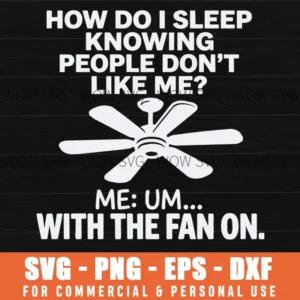
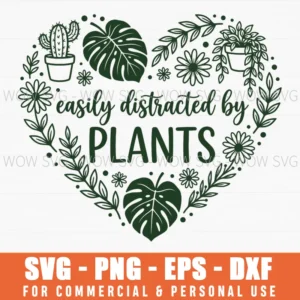
Want to try these steps on a real file? These designs from our shop are simple to cut and weed, and each one includes SVG, PNG, EPS and DXF files.
Frequently Asked Questions
How can I tell if an SVG file is good quality before buying?
Look for a clear preview, a list of included formats and a stated license. If the shop offers free files, test one to see how its designs upload and cut.
Are layered SVG files better than single-color ones?
Not always. Layered designs look more detailed but take more vinyl and alignment, while single-color designs are faster and better for beginners and iron-on.
Why does my SVG file cut with jagged edges?
Jagged edges usually come from an auto-traced image with too many points, a dull blade or the wrong material setting. A clean vector file and a test cut solve most cases.
Can I sell items made with SVG files I buy?
Only if the license allows commercial use. Wow SVG files allow selling finished products you make, but not reselling or sharing the files.