The best free SVG converters are Inkscape, Cricut Design Space’s image upload, SVGcode, Adobe Express’s SVG converter and Convertio. Inkscape gives you the most control for turning images into clean vectors, while the others are faster for simple jobs like converting a logo to SVG or an SVG to PNG. Below you will find what each tool does best and how to get clean results.
Key takeaways
- Inkscape is free, open-source desktop software and the most capable option for tracing images into editable SVG.
- Cricut Design Space can turn a PNG or JPG into a cuttable image without exporting an SVG file.
- SVGcode and Adobe Express are quick browser tools for converting simple images to SVG.
- Convertio is handy for format changes such as SVG to PNG or PDF, with limits on its free use.
- Only convert images you own or have the rights to use.
What an SVG converter actually does
Converters work in one of two directions:
- Image to SVG (tracing or vectorizing): the tool analyzes a raster image, such as a PNG or JPG, and draws vector paths around areas of color. Results depend heavily on the source image. Bold, high-contrast artwork converts well; photos and soft gradients do not.
- SVG to another format (exporting): the tool renders the vector at a chosen size, for example a PNG for sublimation or a PDF for printing. This is straightforward and usually loses nothing if you choose a large enough size.
If you are new to the format, our explainer on what an SVG file is covers vector versus raster in more detail.
The 5 best free SVG converters
1. Inkscape
Inkscape is a free, open-source vector editor for Windows, Mac and Linux. Its Trace Bitmap feature converts images into paths, with options for single-color (brightness cutoff, edge detection) or multi-color tracing. After tracing, you can clean up nodes, delete stray specks, and save as Inkscape SVG or Plain SVG. It also exports PNG at any resolution. It takes some learning, but it is the most powerful free choice. Download it from inkscape.org.
2. Cricut Design Space image upload
If your goal is simply to cut an image on a Cricut, you may not need an SVG at all. Design Space lets you upload a PNG or JPG, choose a complexity level, remove the background, and save it as a cut image or a Print Then Cut image. The result lives in your Design Space uploads rather than as an SVG file you can share elsewhere. Our guide on converting images to SVG for Cricut walks through it step by step.
3. SVGcode
SVGcode is a free, open-source web app that converts raster images to SVG right in your browser. It can trace in monochrome or color and lets you adjust settings such as the number of colors and detail level, with a live preview. Because it runs in the browser, it is quick to try without installing anything.
4. Adobe Express SVG converter
Adobe Express offers a free quick action that converts a PNG or JPG to SVG. It is very simple: upload, convert, download. It works best on logos, icons and clean text artwork. You need a free Adobe account to download, and you get little control over the tracing.
5. Convertio
Convertio is an online file converter that handles many formats, including SVG to PNG, PNG to SVG, SVG to PDF and EPS. It is useful when you just need a different format quickly. The free tier has limits on file size and daily conversions, and image-to-SVG results are basic, so use it mainly for format changes.
Free SVG converters compared
| Tool | Type | Best use | Control over result |
|---|---|---|---|
| Inkscape | Desktop app | Tracing and cleaning up artwork, exporting PNG | High |
| Cricut Design Space | Desktop and mobile app | Turning a PNG or JPG into a Cricut cut image | Medium |
| SVGcode | Browser app | Quick monochrome or color tracing | Medium |
| Adobe Express | Browser app | One-click PNG or JPG to SVG for simple logos | Low |
| Convertio | Online converter | Format changes such as SVG to PNG or PDF | Low |
Tips for clean conversions
- Start with the best image you have. Use a large, sharp file with a plain background. Blurry or small images produce jagged paths.
- Reduce colors first. Flat colors trace far better than gradients or shadows.
- Check the result in outline view. In Inkscape, outline view shows extra nodes and tiny specks you should delete before cutting.
- Do a test cut. Cut a small version on scrap material to make sure thin lines and small gaps survive.
- Respect copyright. Convert only your own artwork, photos you took, or images you have clear rights to use. Converting a logo or character does not make it yours.
When a ready-made file saves time
Tracing is great for your own sketches and logos, but cleaning up a complex image can take a long time. Ready-made designs come as vectors drawn for cutting, with separate layers. A standard Wow SVG design includes SVG, PNG, EPS and DXF files, and you can try the format with designs from our free SVG collection or browse themes like animal SVG designs. If you need your own idea turned into a design, there is also a custom order option. For more free software, see our list of free tools for POD designs.
Designs to practice with
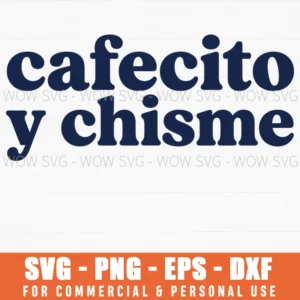
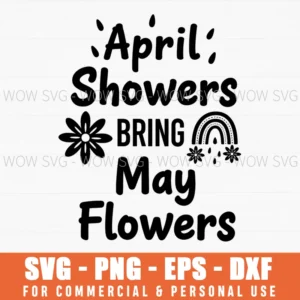
Want to try these steps on a real file? These designs from our shop are simple to cut and weed, and each one includes SVG, PNG, EPS and DXF files.
Frequently Asked Questions
What is the best free SVG converter?
Inkscape is the most capable free option because it lets you trace an image and then clean up the paths. For a quick one-click conversion of a simple logo, SVGcode or Adobe Express are faster.
Can I convert a photo to SVG for cutting?
You can, but photos rarely convert well because of shading and detail. Simplify the photo into a high-contrast silhouette first, and only use photos you took or have rights to.
Do I need an SVG to cut an image on a Cricut?
No. Cricut Design Space can upload PNG and JPG files and turn them into cut images, though SVG files give cleaner layers and more editing options.
How do I convert an SVG to PNG for free?
Open the SVG in Inkscape and export it as PNG at the size and resolution you need, or use an online converter such as Convertio for a quick conversion.