Cricut Design Space works with SVG, DXF, PNG, JPG, GIF, BMP and TIFF files. SVG is the best file type for cutting because it keeps every layer and edge sharp at any size. PNG is the best file type for print then cut, sublimation and DTF. DXF is the backup cut file for Silhouette Studio Basic Edition, and EPS is for design software like Adobe Illustrator, CorelDRAW and laser engraving programs, not for Design Space. Here is how each file type works and when to use it.
Key takeaways
- SVG: the best cut file for Cricut. Layers stay separate and edges stay sharp.
- PNG: best for print then cut, sublimation, DTF and waterslide. A transparent background matters.
- DXF: opens in Silhouette Studio Basic Edition and many laser and CNC programs.
- EPS: a vector file for Illustrator, CorelDRAW and print shops. Cricut Design Space does not open it.
- Most designs at WOW SVG include SVG, PNG, EPS and DXF in one download, so you are covered on any machine.
Cricut File Types at a Glance
| File type | Opens in Cricut Design Space? | Best for |
|---|---|---|
| SVG | Yes | Cutting vinyl, HTV, cardstock and layered designs |
| PNG | Yes | Print then cut, sublimation, DTF, stickers |
| DXF | Yes (layers may need regrouping) | Silhouette Studio Basic, laser and CNC machines |
| EPS | No | Illustrator, CorelDRAW, print shops, laser software |
| JPG | Yes | Photos and print then cut (no transparent background) |
SVG Files: The Best Cut Files for Cricut
SVG stands for Scalable Vector Graphics. A vector file is made of lines and shapes instead of pixels, so you can resize it from a 1-inch decal to a 20-inch banner without losing quality. When you upload an SVG to Cricut Design Space, each color comes in as its own layer, ready to cut from a different vinyl color. That is why SVG cut files are the standard for Cricut projects.
PNG Files: For Printing and Sublimation
PNG is a pixel image with a transparent background. In Design Space you can upload a PNG as a “Print Then Cut” image: your printer prints it and Cricut cuts around the outline. PNG is also the file you need for sublimation, DTF transfers and waterslide decals. Choose a PNG at 300 dpi so it stays sharp at shirt size. Some designs in our shop are PNG-only because they are full-color artwork that would be too detailed to cut in vinyl.
DXF Files: For Silhouette and Laser Machines
DXF is an older vector format that almost every cutting and engraving program can read. Silhouette Studio Basic Edition (the free version) opens DXF but not SVG, so Silhouette owners use the DXF. Laser and CNC software, like LightBurn, also read DXF. DXF files do not keep colors, so you may need to regroup the layers after you open them.
EPS Files: For Design Software
EPS is a vector file used by professional design software. You can open it in Adobe Illustrator, CorelDRAW or Affinity Designer to edit text, colors or shapes, and print shops often ask for it. Cricut Design Space does not open EPS files, so Cricut users can ignore it.
Try It With a Free Design
These free designs include all four file types, so you can test each one on your own machine:
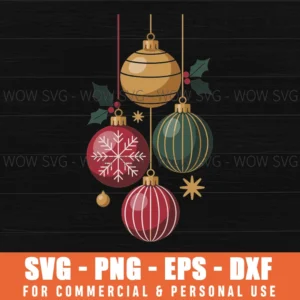
Free Christmas Ornaments SVG
hanging baubles with holly. Free SVG, PNG, EPS and DXF.
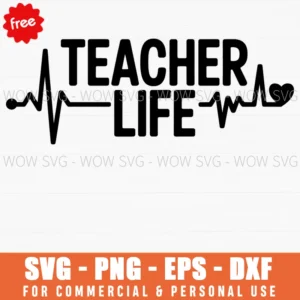
Free Teacher Life SVG
“Teacher Life” lettering with a heartbeat line. Free.

Free Scarecrow Couple SVG
two stitched scarecrow faces in hats. Free.
Want more? See our guide on where to find free SVG files for Cricut. If you only have a PNG and need a cut file, our PNG to SVG guide shows how to convert it.
How to Upload an SVG to Cricut Design Space
- Download the ZIP file and unzip it on your computer (on a phone, use the Files app).
- In Design Space, click Upload, then Upload Image, and choose the .svg file.
- Click Upload, select the design and click Add to Canvas.
- Resize it, then click Make It. Turn on Mirror for heat transfer vinyl.
Frequently Asked Questions
Which file type should I use for Cricut?
Use the SVG for cutting and the PNG for print then cut, sublimation or DTF.
Can Cricut cut a PNG?
Yes, Design Space can turn a PNG into a cut shape, but for a single-color cut it traces the outline only. For multicolor cut designs, the SVG gives you clean, separate layers.
Why does my Silhouette not open the SVG?
Silhouette Studio Basic Edition does not open SVG files. Use the DXF, or upgrade to Designer Edition to open SVG files directly.
Are SVG files safe to download?
Yes, from a trusted shop. Download designs from known sellers, and unzip them before uploading.