Short answer: WOW SVG Tools is a free browser extension for Google Chrome and Microsoft Edge that turns a PNG or JPG into an SVG cut file in one click. It also turns text into SVG and exports SVG files as 300 DPI PNG for sublimation. It works offline, needs no account, and your images never leave your computer.
Add to Chrome – freeGet it for Edge – free
Why use a browser extension instead of a website?
Most free PNG to SVG converters are websites. You upload your image, wait, close the pop-ups and hope the download is not watermarked. An extension works differently:
- One click away. The converters live in your browser toolbar, ready whenever you find an image you want to cut.
- Private. The conversion runs on your own computer. Nothing is uploaded to a server, which matters for client logos, family photos and names.
- Works offline. Once installed, it keeps working without an internet connection, at a craft fair or in the garage next to your Cricut.
- No sign-up, no ads, no watermark. The extension asks for no browser permissions and collects no data.
How to install WOW SVG Tools
- On Google Chrome, open the Chrome Web Store page and click Add to Chrome, then Add extension.
- On Microsoft Edge, open the Edge Add-ons page and click Get.
- Click the puzzle icon in your toolbar and pin WOW SVG Tools, so the icon stays visible.
- Click the WOW SVG icon: a small menu opens with the three tools. Pick one and it opens in a full tab.
A Firefox version is in review at Mozilla and will be available soon.
Tool 1: PNG to SVG converter
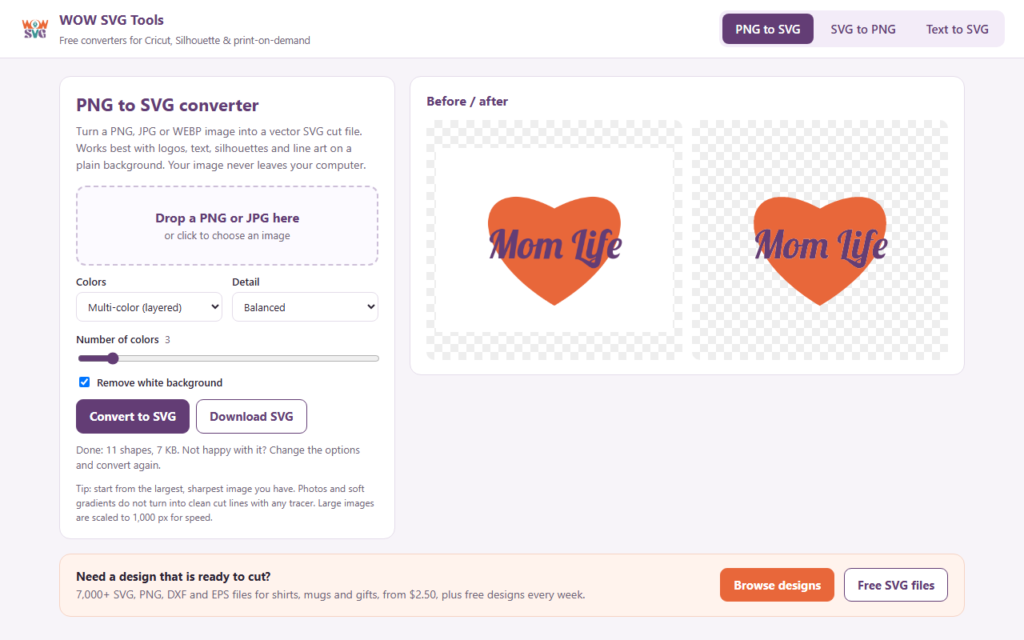
This is the tool most crafters install the extension for. It traces your image and rebuilds it as vector paths that Cricut Design Space, Silhouette Studio and laser software can cut.
- Drop a PNG, JPG or WEBP image on the upload box.
- Keep One color (cut file) for a classic single-color decal. Move the Threshold slider if thin lines disappear or the shapes look too heavy.
- Choose Multi-color (layered) for a colorful image, then pick 2 to 12 colors. Each color becomes its own layer, ready to cut from a different sheet of vinyl.
- Pick Smooth, Balanced or Detailed tracing. Smooth gives fewer, cleaner pieces; Detailed keeps small details.
- Leave Remove white background checked so the background is not cut as a big white square.
- Click Convert to SVG, compare the before and after, then click Download SVG.
Best results come from logos, text, silhouettes and flat clip art. Photos and soft gradients rarely make clean cut lines with any tracer. Our guide on how to convert PNG to SVG for Cricut explains every setting in more detail.
Tool 2: Text to SVG maker
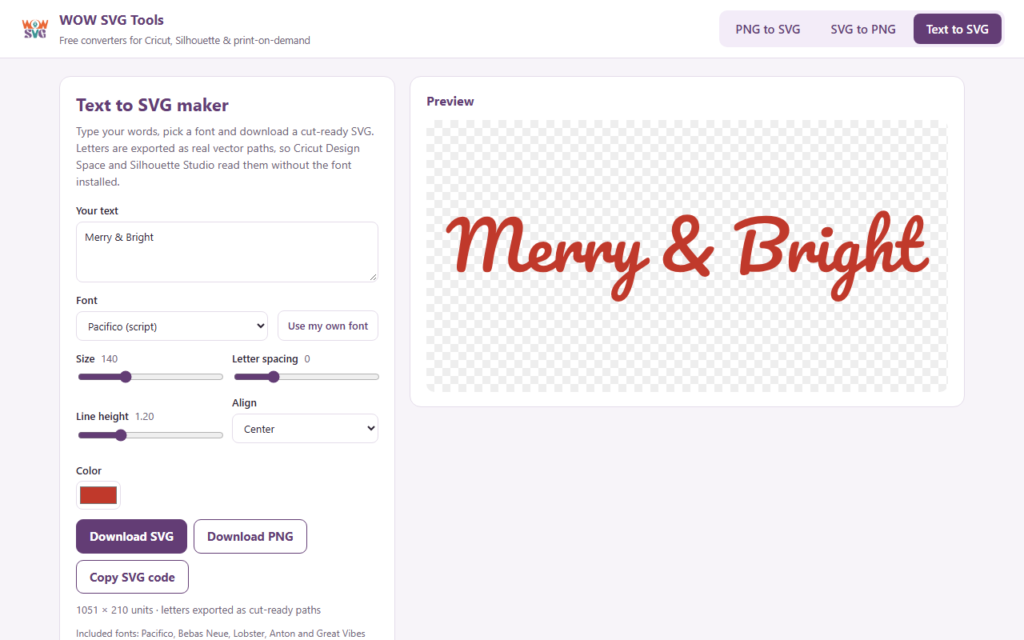
Need a name for a tumbler, a teacher shirt or a wedding sign? Type it, style it, download it.
- Type a word, a name or a quote, on one or several lines.
- Pick one of five fonts that are free for commercial use (Pacifico, Lobster, Great Vibes, Bebas Neue and Anton), or load your own .ttf, .otf or .woff font.
- Adjust the size, letter spacing, line height, alignment and color.
- Click Download SVG. You can also download a 3000 px transparent PNG or copy the SVG code.
The letters are exported as real vector paths, not as live text. That means Design Space opens the file as a cut image even if the font is not installed on your computer, and script letters are already joined, so there is nothing to weld.
Tool 3: SVG to PNG converter (300 DPI)
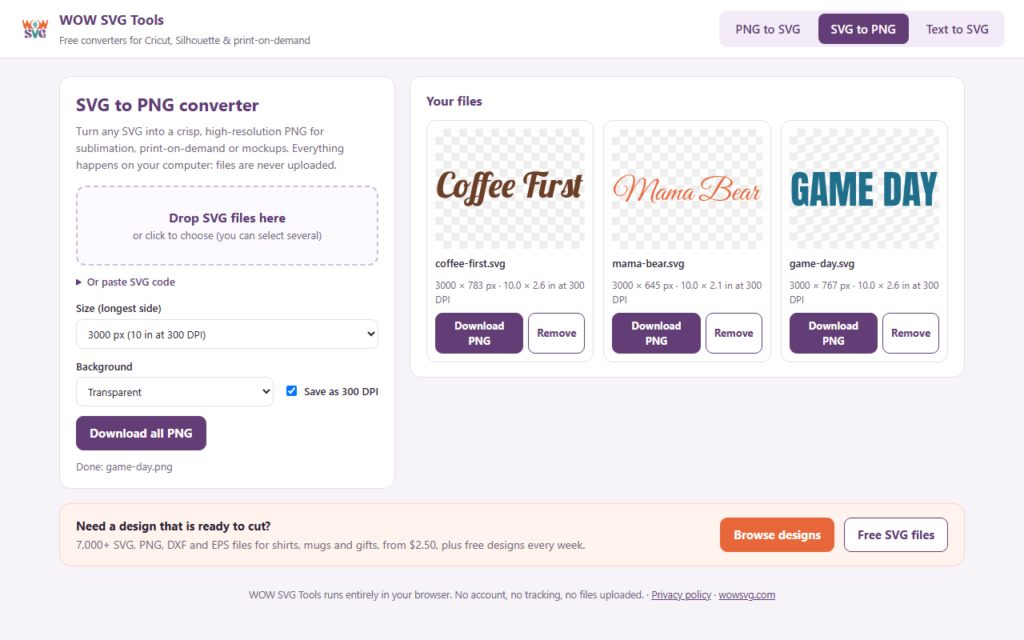
Printers need pixels, not paths. Use this tool for sublimation, DTF transfers, Print Then Cut stickers and print-on-demand uploads.
- Drop one or several SVG files, or paste SVG code.
- Choose the size of the longest side, up to 8000 px. The rule of thumb: print width in inches × 300 = pixels, so a 10-inch shirt print needs 3000 px.
- Keep the background transparent, or choose white or any color.
- Leave Save as 300 DPI checked and click Download all PNG.
Is it really free? What is the catch?
There is no catch. WOW SVG is a small design studio that sells SVG cut files, and we built the extension because our customers kept asking for a simple, private converter. If you like it, you may visit wowsvg.com one day for a ready-made design, and that is all we hope for.
Want a design that is ready to cut?
A converted image saves time, but a design drawn as a vector from the start always cuts cleaner. Here are a few of our free SVG files to try with your Cricut:
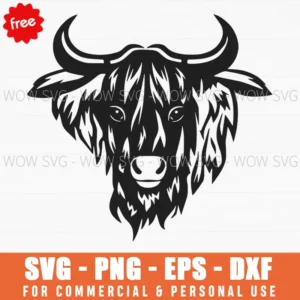
Free Highland Cow Head SVG
a bold one-color silhouette.
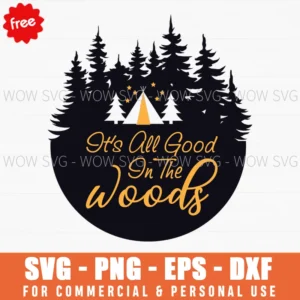
Free It's All Good In The Woods SVG
a color camping scene.
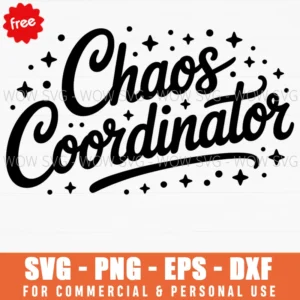
Free Chaos Coordinator SVG
a script saying for moms and teachers.
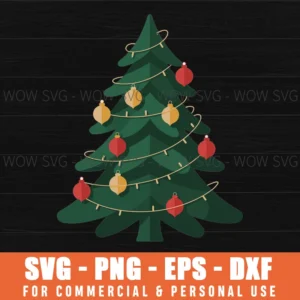
Free Christmas Tree SVG
a layered tree with lights.
Prefer to stay in the browser without installing anything? The same converters exist online: the free PNG to SVG converter and the free text to SVG converter.
Frequently asked questions
Is WOW SVG Tools free?
Yes. The extension is 100% free, with no account, no watermark, no ads and no download limit.
Does it upload my images?
No. Everything runs inside your browser. Your images and text never leave your computer, and the extension asks for no permissions.
Does it work offline?
Yes. Once installed, all three tools work without an internet connection.
Will the SVG open in Cricut Design Space and Silhouette Studio?
Yes. The files are standard SVG made of vector paths. Upload them in Design Space with Upload, then Upload Image. In Silhouette Studio, SVG import needs Designer Edition or higher.
Is there a Firefox or Safari version?
The Firefox version is in review at Mozilla and will be available soon. Safari is not supported yet.
Can I sell products made with the converted files?
Only convert images you have the right to use: your own drawings and photos, or artwork you bought with a commercial license. The five included fonts are free for commercial use.