The best free POD design tools are Inkscape for vector artwork, GIMP and Photopea for editing raster images, Krita for hand-drawn illustration, Canva’s free plan for quick text layouts, and Cricut Design Space for arranging cut files. Each one can produce print-ready files for shirts, stickers and mugs without paying for software. Below is what each tool does well and how to choose.
Key takeaways
- Inkscape is the strongest free choice for vector designs and SVG cut files.
- GIMP and Photopea handle raster editing and transparent PNG exports, which most POD platforms require.
- Krita is built for drawing and painting illustrations with a tablet.
- Canva’s free plan is fast for text-based designs, but check its license terms for elements you use in products.
- Cricut Design Space is for laying out and cutting designs, not for creating complex artwork.
What a POD design needs
Whatever tool you use, print-on-demand files share a few requirements:
- High resolution: most platforms want large PNG files, often at 300 dpi at print size. Check each platform’s current template.
- Transparent background: so only the design prints, not a white box.
- Clean edges and readable text: designs are viewed small in search results and from a distance on shirts.
- Rights to every element: fonts, graphics and photos must allow commercial use.
Working in vector format first makes it easy to export clean PNGs at any size. If the difference is new to you, read what an SVG file is.
The best free POD design tools
Inkscape
Inkscape is free, open-source vector software for Windows, Mac and Linux. You can draw shapes, edit text, convert text to paths, trace images, and export PNG at any resolution with a transparent background. It also saves SVG files for Cricut and other cutting machines. It has a learning curve, but it is the closest free alternative to professional vector software.
GIMP
GIMP is a free, open-source raster editor. It is good for cleaning up images, removing backgrounds, adding textures and distressed effects, and exporting transparent PNGs. It is less suited to text-heavy layouts than a vector tool.
Krita
Krita is a free, open-source painting program designed for artists. With a drawing tablet, it is excellent for illustrated characters, hand lettering and painted styles that you later export as PNG for stickers and shirts.
Canva free plan
Canva runs in the browser and on mobile, with templates, fonts and graphics. The free plan is enough for many slogan designs and mockups. Two cautions: transparent PNG download has been a paid feature, so check what your plan includes, and Canva’s license has rules about using its elements in products for sale, so read its current content license before selling.
Photopea
Photopea is a free browser-based editor that feels similar to Photoshop and opens PSD, SVG and many other formats. It is handy for quick edits, layer work and transparent PNG exports without installing anything. The free version shows ads.
Cricut Design Space
Cricut Design Space is free to download and use with Cricut machines. It is not a full design program, but it is where crafters size, arrange, weld and attach SVG files for cutting vinyl and making their own POD-style products at home. Our guide to resizing and editing SVG files in Design Space explains the basics.
Free POD design tools compared
| Tool | Type | Runs on | Best for |
|---|---|---|---|
| Inkscape | Vector editor | Windows, Mac, Linux | Vector artwork, SVG files, large PNG exports |
| GIMP | Raster editor | Windows, Mac, Linux | Photo cleanup, textures, background removal |
| Krita | Painting app | Windows, Mac, Linux | Hand-drawn illustration and lettering |
| Canva (free plan) | Template-based design | Browser, mobile | Quick text layouts and mockups |
| Photopea | Raster editor | Browser | Photoshop-style edits without installing |
| Cricut Design Space | Cutting layout software | Windows, Mac, iOS, Android | Sizing and arranging cut files for Cricut |
A simple free workflow for a shirt design
- Sketch the idea on paper or in Krita.
- Build it in Inkscape with shapes and text, converting fonts to paths when finished.
- Add texture if needed in GIMP or Photopea.
- Export a transparent PNG at the size your platform requires.
- Preview it on a mockup and check readability at small sizes.
- Upload to your POD platform or cut it at home with Design Space.
Not sure where to sell? Compare options in our list of top print-on-demand platforms.
Fonts, graphics and licensing
Free software does not make every font or graphic free for commercial use. Check font licenses before using them on products for sale, and avoid trademarks and characters you do not own. If you make finished products yourself, licensed designs can save time: Wow SVG designs are included as SVG, PNG, EPS and DXF and may be used on finished products you make, though the files themselves may not be shared or resold. You can try a few from the free SVG collection or browse themes like drinks and food SVG designs.
Design ideas to start with
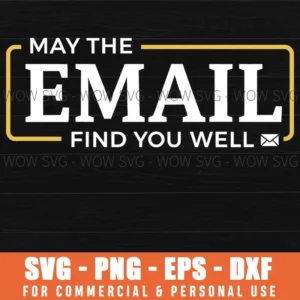
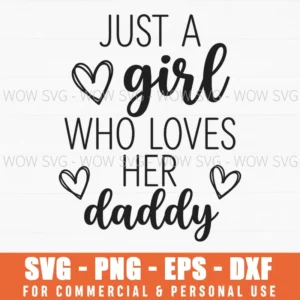
If you are building a print-on-demand or Etsy shop, these WOW SVG designs show the kind of simple, text-based artwork that works well on shirts, mugs and stickers. Each one costs $2.50, includes SVG, PNG, EPS and DXF files, and commercial use of finished products is included.

Frequently Asked Questions
What is the best free tool for POD designs?
Inkscape is the best all-round free tool for POD designs because it creates scalable vector artwork and exports large transparent PNGs. Pair it with GIMP or Photopea for raster effects.
Can I use Canva designs for print on demand?
You can use your own Canva creations, but Canva’s license limits how its templates and elements may be used in products for sale. Read its current content license and avoid selling designs that rely mainly on unmodified Canva elements.
Do I need a drawing tablet for POD design?
No. Text and shape-based designs can be made with a mouse in Inkscape or Canva. A tablet helps if you want hand-drawn illustration in Krita.
What file format do POD platforms need?
Most print-on-demand platforms ask for a high-resolution PNG with a transparent background. Check each platform’s current template for exact dimensions.