What is an SVG file? An SVG file (Scalable Vector Graphics) is an image made of mathematical paths instead of pixels, so it can be resized to any size without getting blurry. That is why it is perfect for Cricut: the machine follows those paths as cut lines, giving clean edges on vinyl, iron-on and cardstock. This guide explains vector vs raster images, why SVG suits cutting machines, and how SVG compares with PNG, DXF and EPS.
Key takeaways
- An SVG file stores shapes as paths, so it stays sharp at any size and gives the Cricut exact cut lines.
- PNG and JPG files are raster images made of pixels; they are best for printing, not cutting.
- SVG files keep separate layers, so each color can be cut from a different material.
- DXF is the cutting format for Silhouette Studio Basic Edition, which cannot open SVG.
- EPS is a vector format for design software such as Illustrator, not for uploading to Cricut Design Space.
What Is an SVG File?
SVG stands for Scalable Vector Graphics. Instead of storing a grid of colored dots, an SVG file describes lines, curves and shapes with coordinates. When you make an SVG bigger, the software simply recalculates those shapes, so the edges stay crisp whether the design is a 1-inch sticker or a 20-inch sign.
SVG is an open standard, so many programs can read it, including Cricut Design Space, Silhouette Studio Designer Edition and higher, Inkscape, Adobe Illustrator and web browsers.
Vector vs Raster: The Key Difference
Every digital image is either vector or raster.
- Raster images (PNG, JPG) are made of pixels. They are great for photos and full-color artwork, but they get blurry or blocky when you enlarge them beyond their resolution.
- Vector images (SVG, DXF, EPS) are made of paths. They scale without quality loss and can be edited shape by shape.
A cutting machine needs to know exactly where to move the blade. A vector path gives it that line directly. With a raster image, the software has to guess the outline from the pixels first, which often leaves rough or uneven edges.
Why SVG Files Are Perfect for Cricut
Exact cut lines
Each path in an SVG becomes a cut line in Cricut Design Space, so letters and shapes cut exactly as designed.
Resize without losing quality
The same file works for a baby bodysuit, an adult shirt and a wall decal. You only change the size.
Layers for multi-color projects
SVG files keep each color as its own layer. After upload you can ungroup the design, hide or delete parts, and cut each layer from a different vinyl color.
Editable
You can change colors, delete elements, or weld and attach shapes in Design Space, or edit the paths in Inkscape or Illustrator.
Small file size
Because SVG stores instructions rather than pixels, files are usually small and quick to upload.
SVG vs PNG vs DXF vs EPS
| Format | Type | Best for | Works in |
|---|---|---|---|
| SVG | Vector | Cutting vinyl, iron-on and cardstock with layers | Cricut Design Space, Silhouette Studio Designer Edition and up, Inkscape, Illustrator |
| PNG | Raster, transparent background | Sublimation, DTF, Print Then Cut stickers, print on demand | Cricut Design Space, printers, most design apps |
| DXF | Vector (CAD format) | Cutting in software that does not open SVG | Silhouette Studio Basic Edition, many laser and cutter programs, Cricut Design Space |
| EPS | Vector | Editing and printing in professional design software | Adobe Illustrator and other vector editors |
DXF files sometimes lose color information or open as outlines only, so SVG is the better choice whenever your software supports it. For a full guide to which file goes where, see instructions on how to use SVG files.
How to Use an SVG File with Cricut
- Unzip the download. Design files usually come in a ZIP folder. Extract it first; Design Space cannot upload the ZIP itself.
- Upload the SVG. In Design Space, click Upload, then Upload Image, then Browse, and pick the .svg file. Menu names can change between app versions.
- Add it to the canvas and resize. Keep proportions locked and size it for your project.
- Cut. Click Make It, choose your material, and mirror the mat only for heat transfer vinyl.
The detailed upload walkthrough for desktop and mobile is in how to upload SVG files to Cricut.
Where to Get SVG Files
You can make your own SVG files in vector software or buy ready-made designs. Wow SVG designs include SVG, PNG, EPS and DXF in one download, most at $2.50, and the Free SVG section lets you practice at no cost. Popular starting points are the Quotes SVG and Animal SVG collections.
Designs to practice with
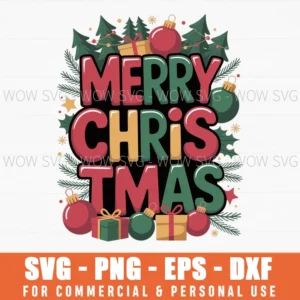
Want to try these steps on a real file? These designs from our shop are simple to cut and weed, and each one includes SVG, PNG, EPS and DXF files.


Frequently Asked Questions
What is an SVG file in simple terms?
An SVG file is a vector image made of lines and shapes instead of pixels. It can be resized to any size without becoming blurry, which makes it ideal for cutting machines.
Can Cricut use PNG files instead of SVG?
Yes, Cricut Design Space can upload PNG files, but they are best for Print Then Cut. For cutting vinyl, an SVG gives cleaner cut lines and keeps layers.
Can Silhouette Studio open SVG files?
Silhouette Studio Designer Edition and higher can open SVG files. The free Basic Edition cannot, so use the DXF file instead.
Is EPS the same as SVG?
Both are vector formats, but EPS is mainly used in professional design software like Illustrator. Cricut users should upload the SVG.