Short answer: to turn text into an SVG for free, open the free text to SVG converter, type your word or name, click Add, choose a font, size and color, then click Export SVG. The file downloads with every letter already converted to a vector outline, so it opens in Cricut Design Space, Silhouette Studio or a laser program as a shape, not as editable text. There is no account and nothing to install.
Why convert text to SVG instead of typing it in Design Space?
Cricut Design Space has its own text tool, so why make a file somewhere else? Three reasons come up again and again:
- The font travels with the file. The letters are saved as outlines, so the design looks the same on any computer, phone or tablet, even if the font is not installed there.
- No welding or spacing fixes. Script text typed in Design Space often cuts as separate letters until you weld it. An outlined SVG is already one set of shapes.
- You can reuse it everywhere. The same SVG works for vinyl, iron-on, stencils, laser engraving, sublimation mockups and print-on-demand.
What the WOW SVG text tool can do
- Add one or several lines of text to the same canvas. Each line is its own item, so you can give a name and a date different fonts.
- Choose from six display fonts, from bold block letters to wedding-style script.
- Set the font size and pick any color with the color picker.
- Align the selected text left, center or right.
- Export one SVG file in which the text is converted to vector paths (outlines). That is exactly what cutting machines need.
Everything runs in your browser. What you type is not sent anywhere, which makes the tool safe for names, addresses on return-address stamps or private messages.
How to make a text SVG, step by step
- Open the text to SVG converter.
- Type your word, name or quote in the Text box and click Add. The text appears on the canvas.
- Click the text on the canvas to select it. The Text to edit panel opens.
- Pick a Font Family, change the Font Size and choose a Color. Make sure the whole line fits inside the white artboard.
- Use the alignment buttons to place the text. Add more lines the same way if you need them.
- Click Export SVG. The file is saved to your downloads folder.
How to cut the text in Cricut Design Space
In Design Space, click Upload, then Upload Image, and choose your SVG. It opens as a cut image. Resize it on the canvas: for a shirt, 9 to 11 inches wide is a common size for an adult front design, and 3 to 4 inches for a pocket or sleeve. Remember to mirror the mat for iron-on (HTV). If something looks wrong, our guide on troubleshooting SVG files in Design Space covers the usual fixes.
Tips for clean text cuts
- Go bigger with script fonts. Thin joins between script letters can tear when you weed. Keep script text at least 1 inch tall for vinyl.
- Use bold fonts for small text. Block letters stay readable and weedable at small sizes, like on kids’ shirts or tumbler names.
- Keep letters inside the artboard. Anything outside the white area is cropped from the export.
- One color per file for vinyl. If you want a two-color design, export each color as its own SVG and layer them in Design Space.
- Check the spelling before you export. Outlined text can no longer be edited as text in Design Space.
Ideas for text SVGs
- Names for tumblers, water bottles, backpacks and Christmas stockings.
- Teacher shirts with a grade or a school name.
- Wedding signs, “Mr & Mrs” mugs and bridal party shirts.
- Family reunion and matching vacation shirts with the year.
- Labels for pantry jars, storage bins and classroom supplies.
Prefer a ready-made saying?
If you want a finished design with lettering and decorations, WOW SVG has more than 500 free SVG files and nearly 7,000 designs at $2.50 in SVG, PNG, EPS and DXF. Commercial use of the finished products is included. A few free text designs to start with:
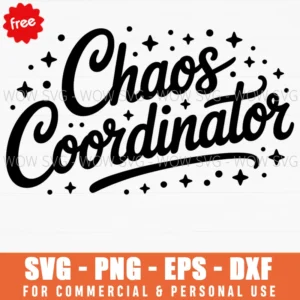
Free Chaos Coordinator SVG
a script saying for moms and teachers.
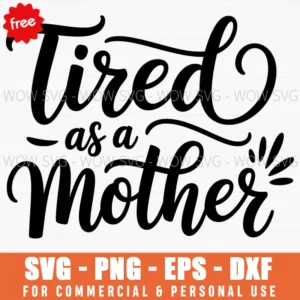
Free Tired As A Mother SVG
a funny script design for shirts and mugs.
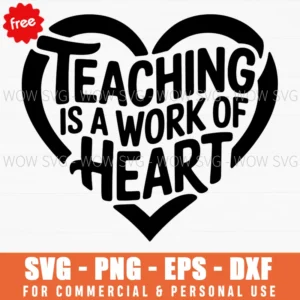
Free Teaching Is A Work Of Heart SVG
a sweet teacher quote.
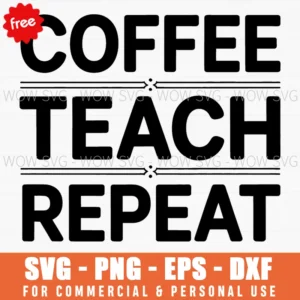
Free Coffee Teach Repeat SVG
a teacher shirt favorite.
Need a picture instead of text? Our free PNG to SVG converter turns a logo or drawing into a cut file, and our guide on how to convert PNG to SVG for Cricut explains every setting.
Frequently asked questions
Is the text to SVG converter really free?
Yes. There is no account, no watermark and no download limit. The tool runs in your browser.
Will the SVG open in Cricut Design Space?
Yes. The letters are exported as vector paths, so Design Space opens the file as a cut image. You do not need the font installed on your computer.
Can I edit the text after exporting?
Not as text. The letters are outlines once exported. To change a word, go back to the tool, edit the text and export again.
Can I sell products made with a text SVG?
Your own words are yours to use. Font licenses vary from one font to another, so if you sell the finished products, check the license of the font you picked before you start production.