Short answer: to convert an SVG to PNG for free, open the free SVG to PNG converter, click the SVG to PNG tab, upload your SVG, type the width in pixels (3000 is the default), keep “Transparent background” checked and click Convert to PNG. For printing, pick the width with a simple rule: print width in inches × 300 = pixels. A 10-inch shirt print needs a 3000 px PNG.
When do you need a PNG instead of an SVG?
An SVG is perfect for cutting machines because it is made of paths. Printers work differently: they print pixels. You need a PNG when you:
- print sublimation transfers for shirts, mugs, tumblers or mouse pads;
- print DTF transfers or use Cricut Print Then Cut for stickers;
- upload a design to a print-on-demand shop such as Printify, Etsy listings or Amazon Merch;
- make a mockup, a social media post or a product photo.
PNG keeps a transparent background, which JPG cannot do. That is why it is the standard format for transfers and print-on-demand.
How to convert an SVG to PNG, step by step
- Open the converter and click the SVG to PNG tab.
- Click the upload box and choose your SVG file, or drop it on the box.
- Type the PNG width in pixels, from 100 up to 6000. The height follows the design’s proportions automatically.
- Keep Transparent background checked for shirts, mugs and stickers. Uncheck it if you want a white background.
- Click Convert to PNG, check the preview and download the image.
The conversion happens on your own device. Your file is not uploaded to our server.
What size should the PNG be?
Most printers and print shops ask for 300 DPI (dots per inch). Since a PNG is measured in pixels, multiply the printed width you want by 300:
- Adult shirt front, 10 to 12 inches wide: 3000 to 3600 px.
- Kids’ shirt or tote bag, 7 to 8 inches: 2100 to 2400 px.
- Pocket or left-chest design, 3 to 4 inches: 900 to 1200 px.
- 11 oz mug wrap, about 8.5 inches: around 2550 px. Check your mug template for the exact size.
- Large prints up to 20 inches: up to 6000 px, the tool’s maximum.
Because an SVG is a vector, it stays sharp at any size. Exporting bigger does not make it blurry, so when in doubt, choose the larger width. Print-on-demand platforms often show their own recommended size in the upload screen: use that number if they give one.
Tips for sublimation and print-on-demand files
- Mirror for sublimation, not in the PNG. Keep the PNG the right way round and mirror it in your printing software, so the same file also works for print-on-demand.
- Keep the background transparent unless your design is meant to be a full rectangle.
- Check thin lines. Very thin strokes can disappear on dark shirts. Preview the PNG on a dark background before printing.
- Name files clearly, for example teacher-shirt-3000px.png, so you can find the right size later.
Free designs to try it with
Every WOW SVG design already includes a PNG, plus SVG, EPS and DXF. The converter is handy when you need a different size. Try it with one of our colorful free designs:
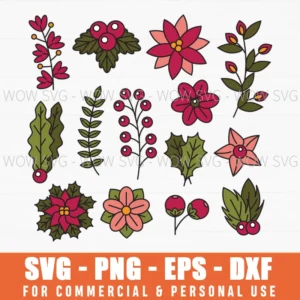
Free Christmas Flowers SVG
colorful poinsettias, great for mugs.
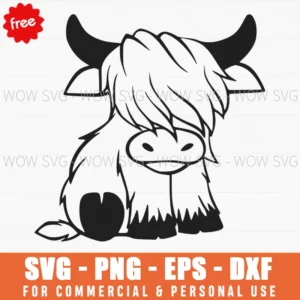
Free Highland Cow SVG
a cute cartoon for kids’ shirts.
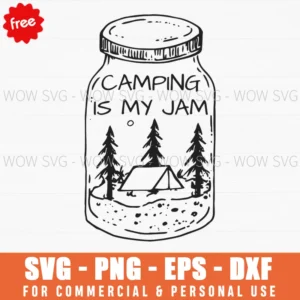
Free Camping Is My Jam SVG
a full-color scene for totes.
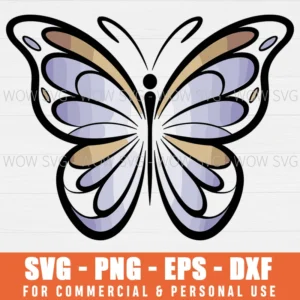
Free Butterfly SVG
soft pastel wings for sublimation.
Going the other way? Read how to convert PNG to SVG for Cricut, or make lettering from scratch with our free text to SVG converter. For a full overview of formats, see SVG, PNG, DXF and EPS explained.
Frequently asked questions
Is this SVG to PNG converter free?
Yes. There is no signup and no watermark. It works in your browser.
What resolution is best for sublimation?
300 DPI at the size you will print. Multiply the print width in inches by 300 to get the PNG width in pixels, for example 3000 px for a 10-inch design.
Does converting to PNG lower the quality?
Not if the PNG is big enough. The SVG is drawn fresh at the width you choose. Problems only appear when a small PNG is enlarged later, so export at the final size.
Can I get a white background instead of transparent?
Yes. Uncheck “Transparent background” before you click Convert to PNG.